
Quick Check
—
Free in the app
- Unlimited Quick Checks
- One clear fix for every outfit
- No photo needed
The modest check app
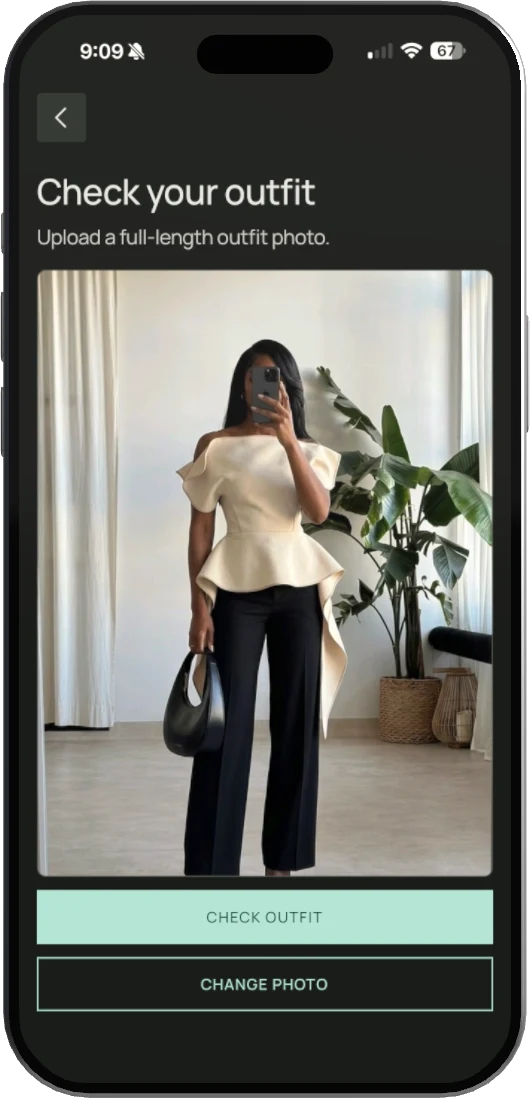
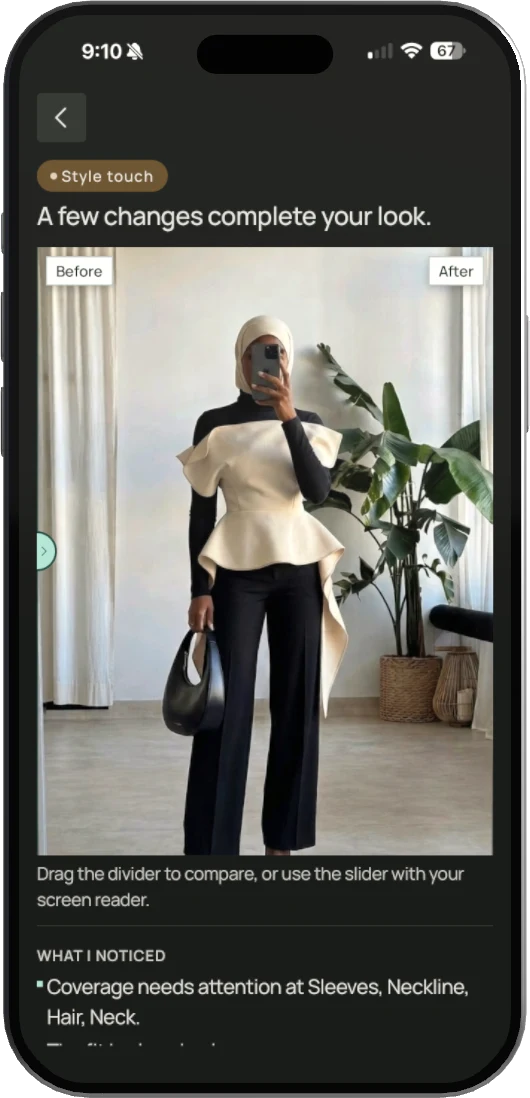
Photo Check reads the coverage, fabric and fit of your outfit from one photo, then shows the one layer that completes it, on you. Short on time? Quick Check answers in three quick questions.


Quick Check is free. Get Zunoor Pro for Photo Check
Free in the app
By continuing, you agree to our Terms of Service and Privacy Policy.
Still have a question?
Quick Check is free and unlimited in the app. Choose what you want to check, your top, bottom, dress or head covering, answer a few short questions, and get one practical fix. No photo is needed. Photo Check needs Zunoor Pro: it reads your whole outfit from one photo, shows the fix on your own photo, and includes 3 Photo Checks a day.
Quick Check asks a few short questions about one part of your outfit and gives you a practical fix in seconds, without a photo. Photo Check reads coverage, fabric and fit from one full-length photo, tells you exactly what to change, and shows those changes on your own photo in a before and after.
No. Your photo is sent securely to Google Gemini to read your outfit and create the After image, and only after you agree to that in the app. It is not used to train AI. Zunoor deletes your photo as soon as the check is done. If you save the outfit, only the After image is kept, and it is deleted when you delete that outfit or your account. To avoid repeating the same work, the AI result and After image may be kept briefly with no link to your account, then deleted automatically.
New subscribers get 3 days free on the weekly or monthly plan, once per account. You add a payment method at the start, but nothing is charged during the trial. Cancel before the 3 days end and you pay nothing; otherwise your plan starts at the price shown at checkout and renews until you cancel. You can start on this website before you have an account: create your account in the app with the same email, confirm it, and Zunoor Pro switches on.
If you subscribed in the app, cancel in your App Store or Google Play subscription settings. If you subscribed on this website, sign in and use Manage subscription in your account. Either way, you keep Zunoor Pro until the end of the period you have paid for. Paid on the website but have not created your account yet? Write to us and we will cancel it for you.
Photo Check needs one clear, full-length photo of you wearing the outfit, in good light. If the photo is too dark, blurry, cuts off part of the outfit or does not show an outfit, Zunoor asks for a new one instead of guessing. You can retake it straight away, or use Quick Check, which needs no photo.